For Unreal Engine 5 · code plugin
SkyDSP Mixer Pro Mix your game like a record.
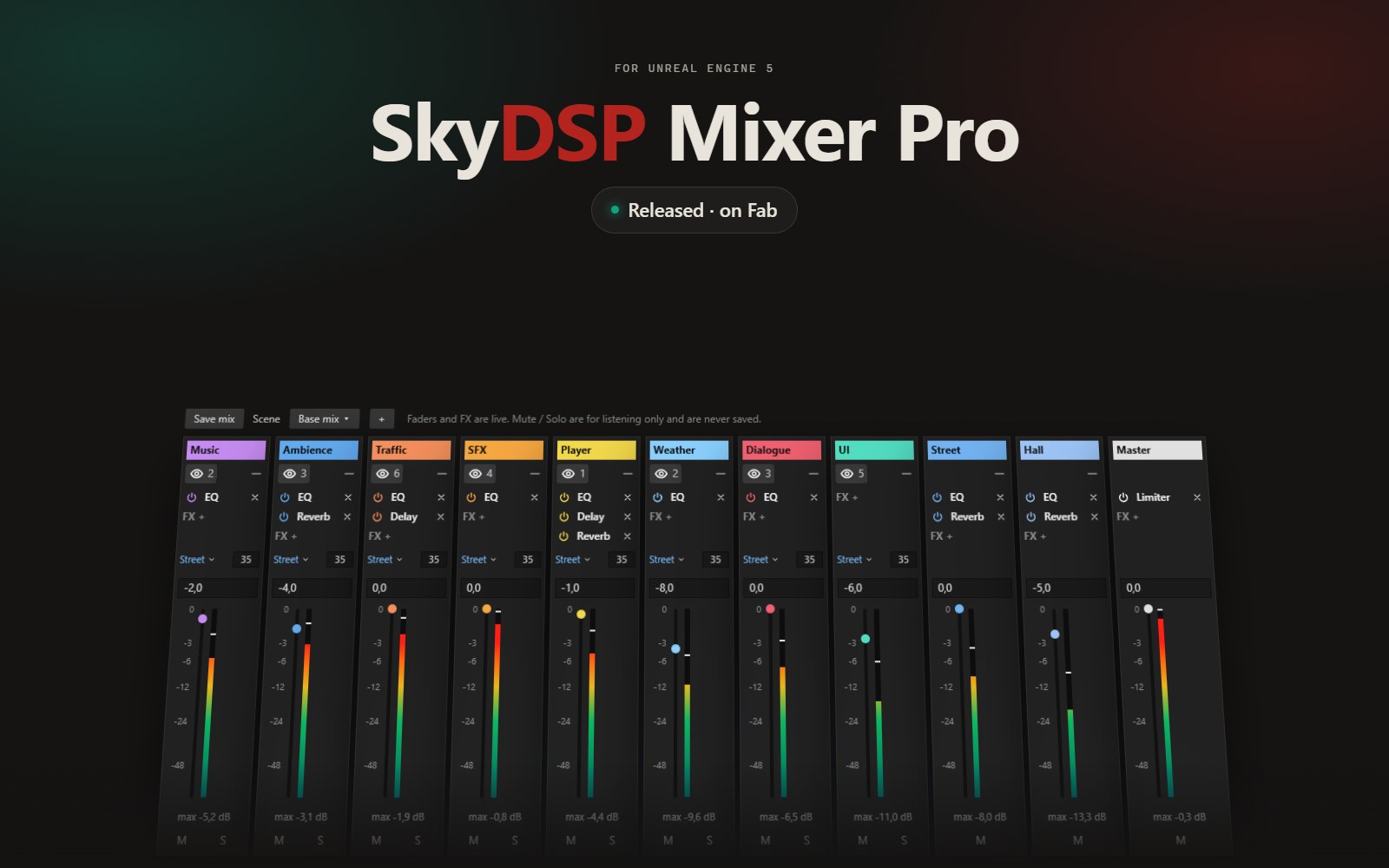
A professional mixing desk inside the Unreal Engine editor. Musicians and DAW users will feel at home at once: channels, faders, inserts, sends and scenes, exactly where you expect them. Take control of every sound in your game and shape its atmosphere.
Why it exists
Every studio works the same way: each sound on its own channel, a fader within reach, the whole mix in view. Unreal Engine provides all the underlying parts, from sound classes and submixes to buses and effects, but spreads them across dozens of assets and property panels. The mix exists. The desk does not.
SkyDSP Mixer Pro is that desk. It is built on the engine's own audio system, so what you hear in the editor is exactly what ships in the game. Move a fader while the game is playing, and that is the fader in the build. Simple to use, and nearly free at runtime.
What it offers
A ready desk the first time you open it: Master, Music, Ambience, SFX, Player, Dialogue and UI. Assign any sound to a channel with a right-click, by dragging it onto a strip, or directly from the Details panel of a sound placed in your level. Build an insert chain of EQ, delay and reverb per channel, share one reverb between channels through Spaces, and keep a mix scene for every moment of the game: menu, combat, interiors.
Take control of your sounds. Shape the atmosphere. Press Save mix, and the game plays it.
Features
Tracks and faders
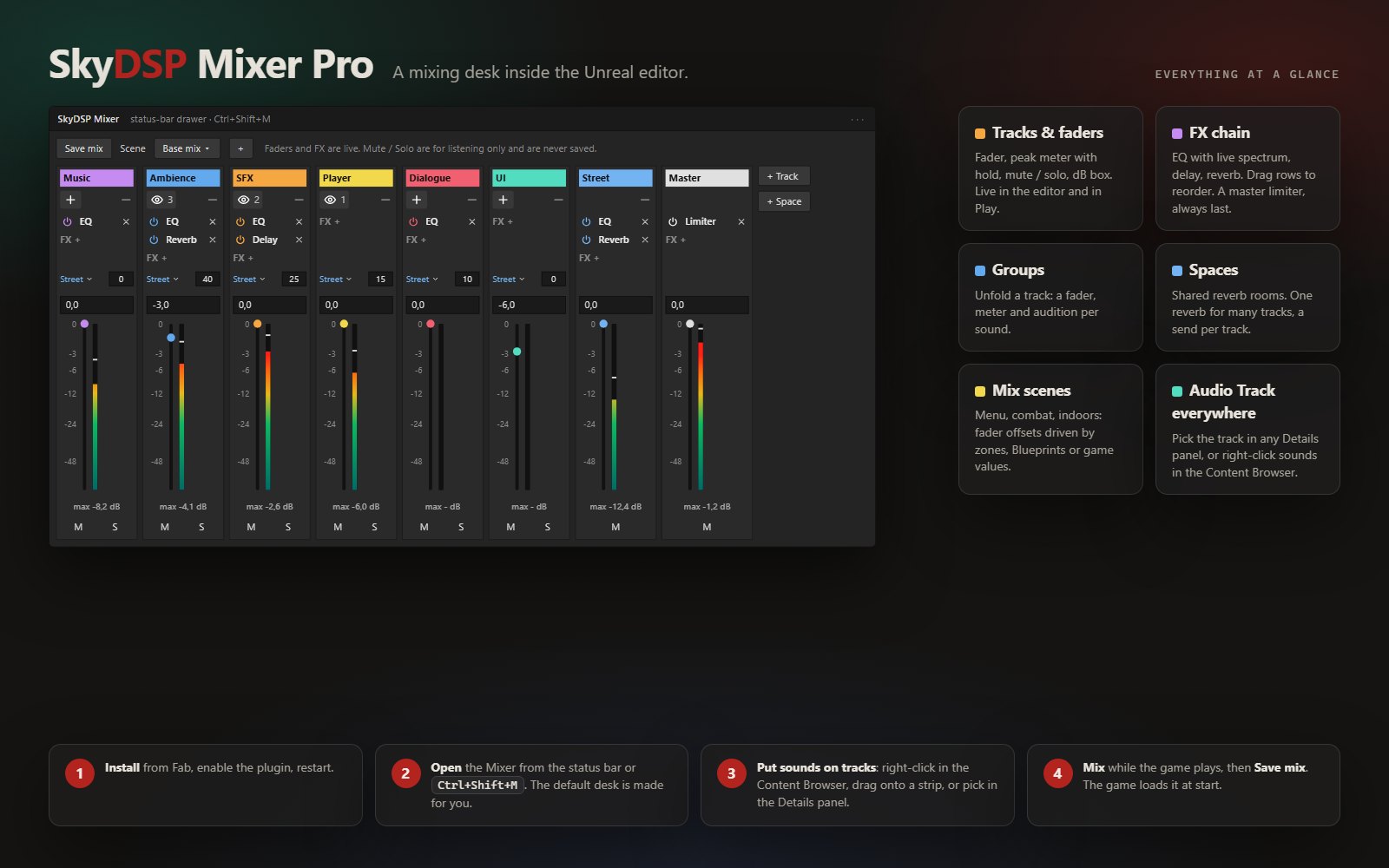
Every sound on a channel; every channel with a fader, a peak meter with hold, mute and solo. Rename, add and remove channels as on any console.
FX chain
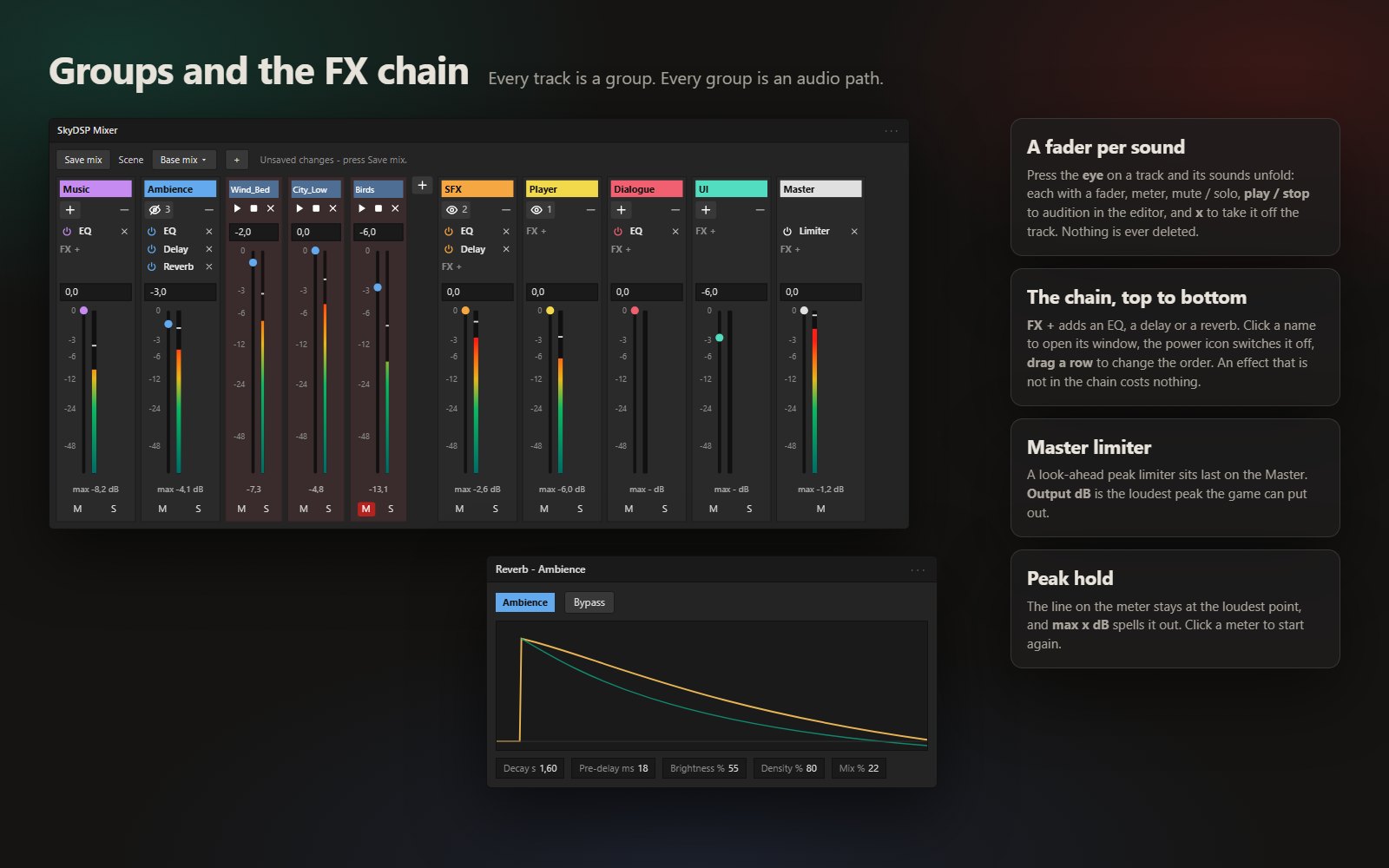
Inserts as you know them: an EQ with a live spectrum analyser, delay and reverb, in the order you arrange them. A look-ahead limiter closes the Master.
Groups
Unfold a channel and every sound on it has its own fader, meter, mute / solo and audition. Balance a set of footsteps or impacts by ear.
Spaces
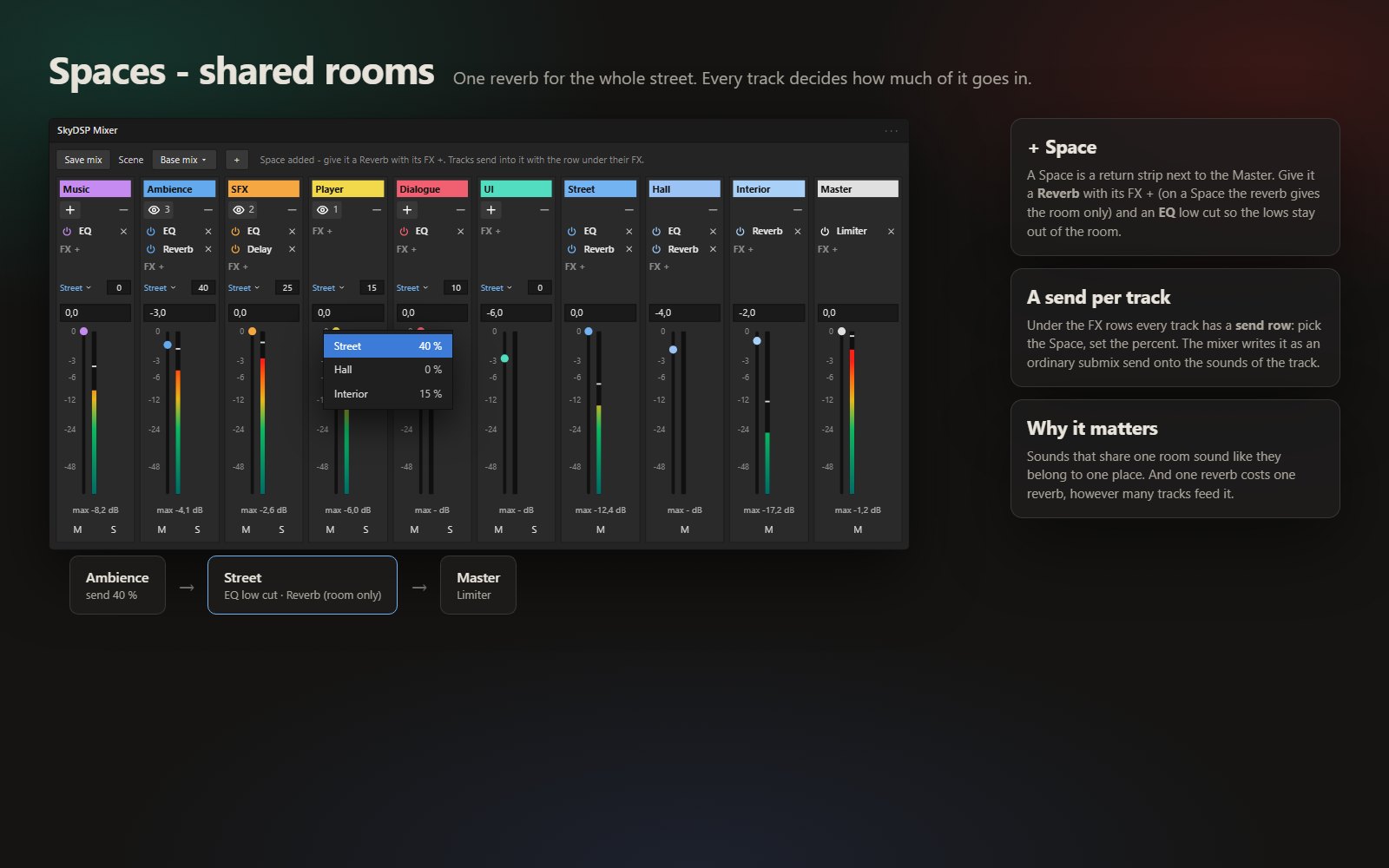
Auxiliary sends to shared reverb rooms. One reverb for an entire street, with a send level per channel. Sounds that share a room belong to one place.
Mix scenes
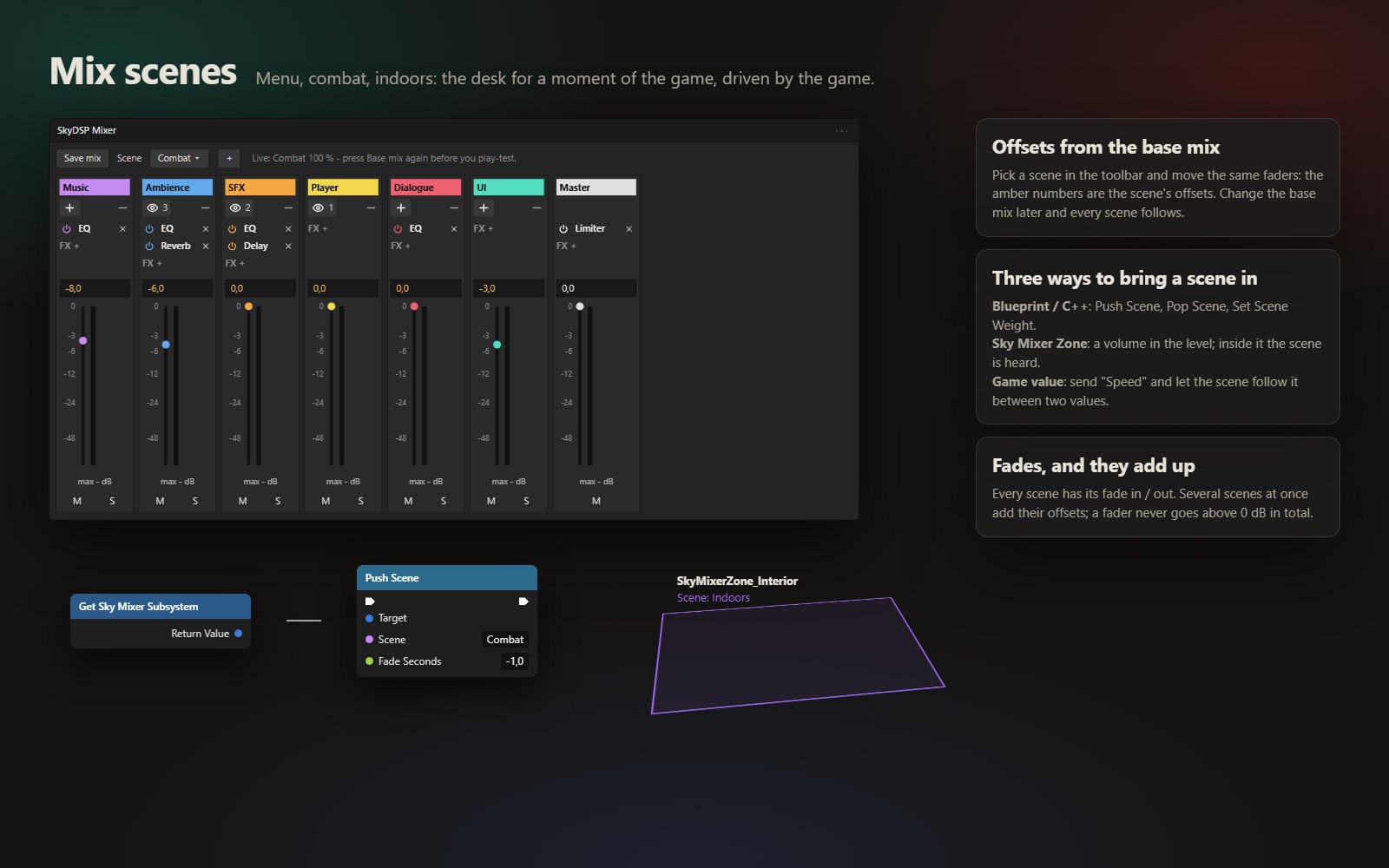
Snapshots for the moments of your game: menu, combat, interiors. Fader offsets with fade times, recalled by a volume in the level, a Blueprint node or any game value.
Audio Track everywhere
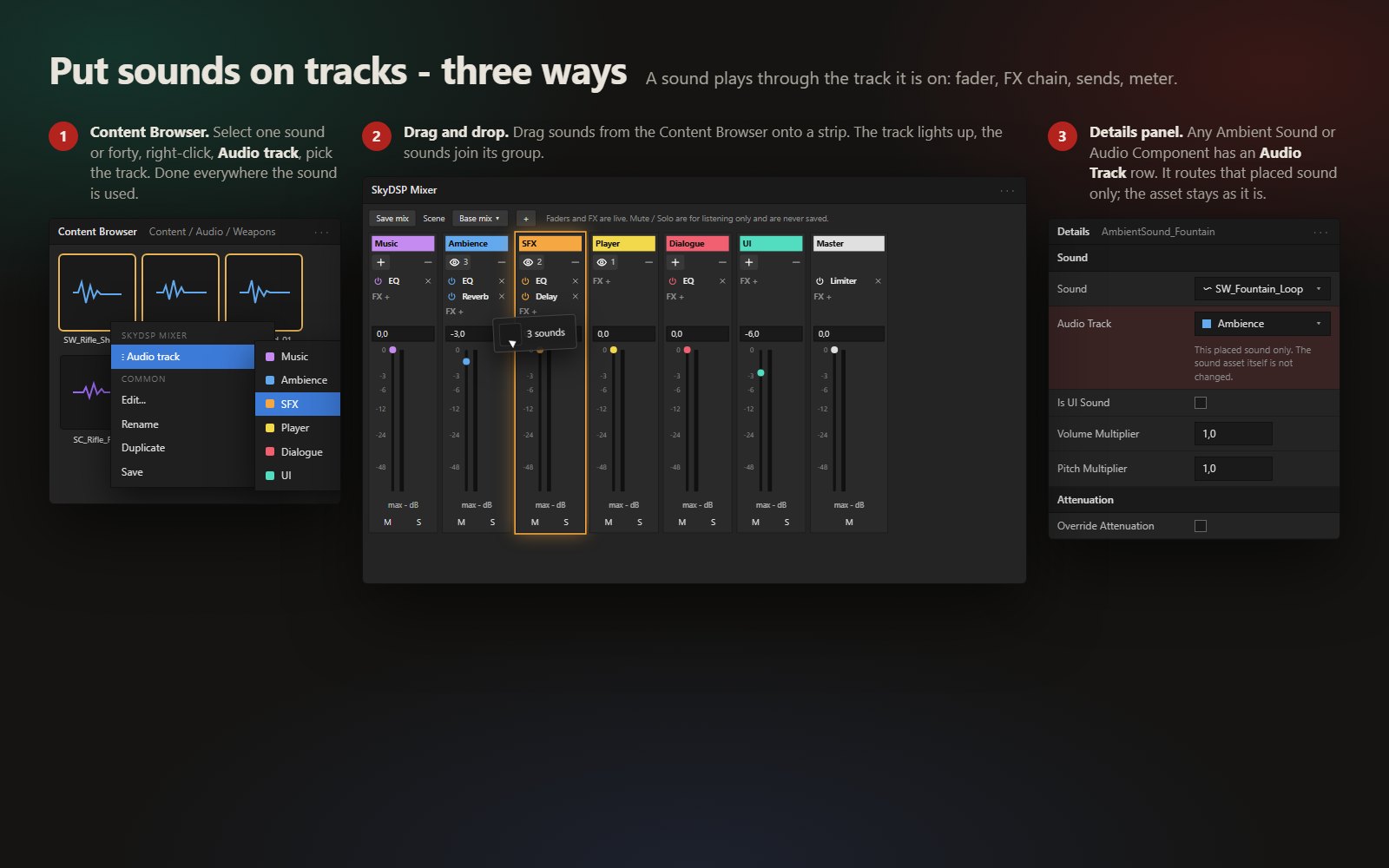
Assign the channel where the sound lives: an Audio Track drop-down on every placed sound, a right-click menu on sound assets, and drag and drop onto the desk.
Gallery
From install to your first mix
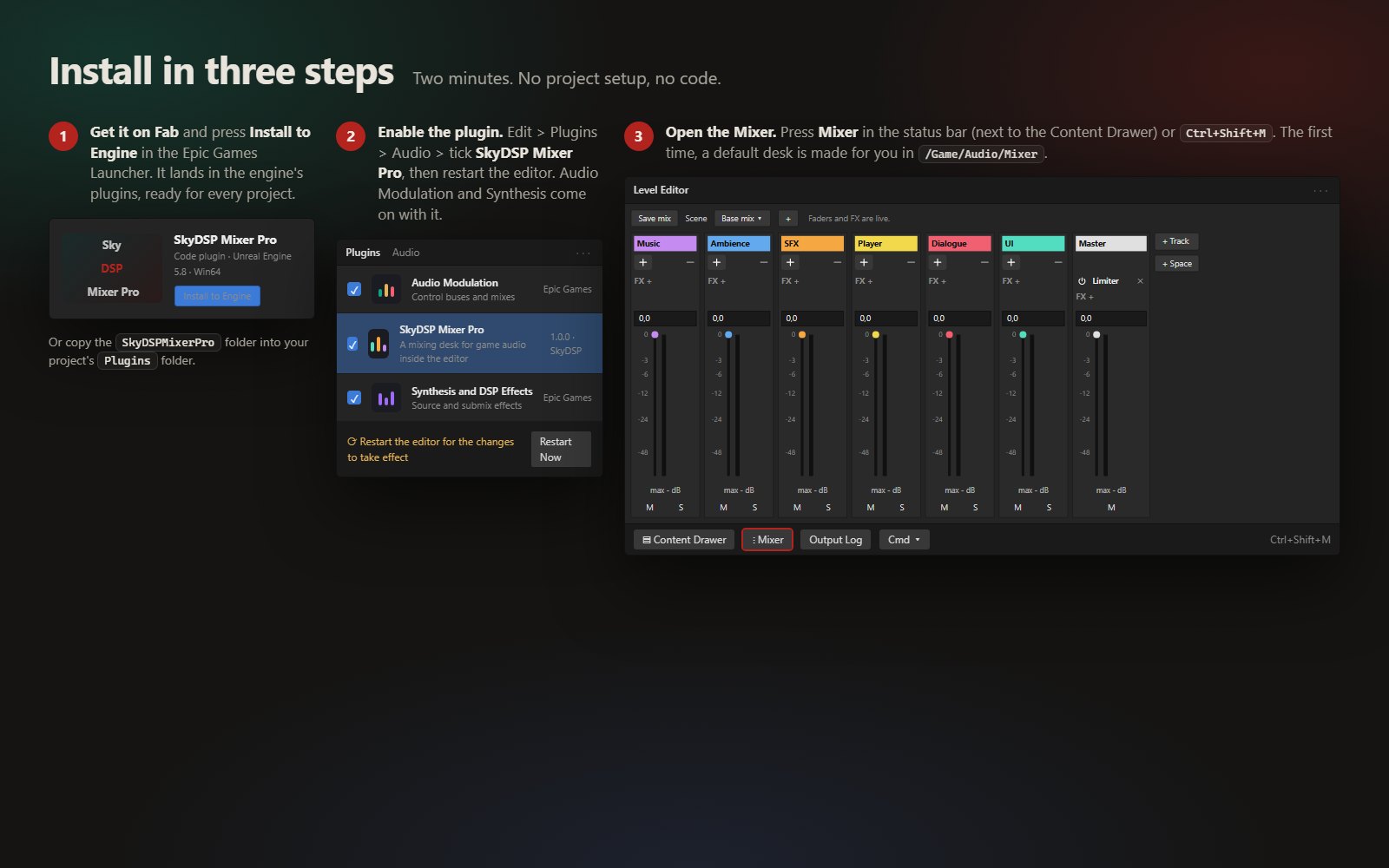
Install. Get it on Fab, press Install to Engine, then Edit > Plugins > Audio > tick SkyDSP Mixer Pro and restart the editor.
Open. Press Mixer in the status bar next to the Content Drawer, or Ctrl+Shift+M. The default desk is made for you.
Put sounds on tracks. Right-click sounds in the Content Browser, drag them onto a strip, or pick the Audio Track in a Details panel.
Mix. Play the game and ride the faders. Add an EQ, a reverb, a Space, a scene. Press Save mix: that is the mix the game ships with.
More features coming
Version 1.0 is the desk. The next versions bring more of the studio into the engine.
- Sends that follow placed soundsA sound routed from the Details panel takes its track's Space sends with it.
- Play Sound on TrackBlueprint nodes for sounds started from code: pick the track, done.
- Compressor insertA clean compressor in the FX chain, in the same window style as the rest.
- Focus duckingDialogue or the player above everything else, set on the desk like a sidechain rather than in code.
- Master finish presetsOutput profiles for headphones, TV speakers and mobile.
- More engine versionsEach version is built and tested before it is listed.